
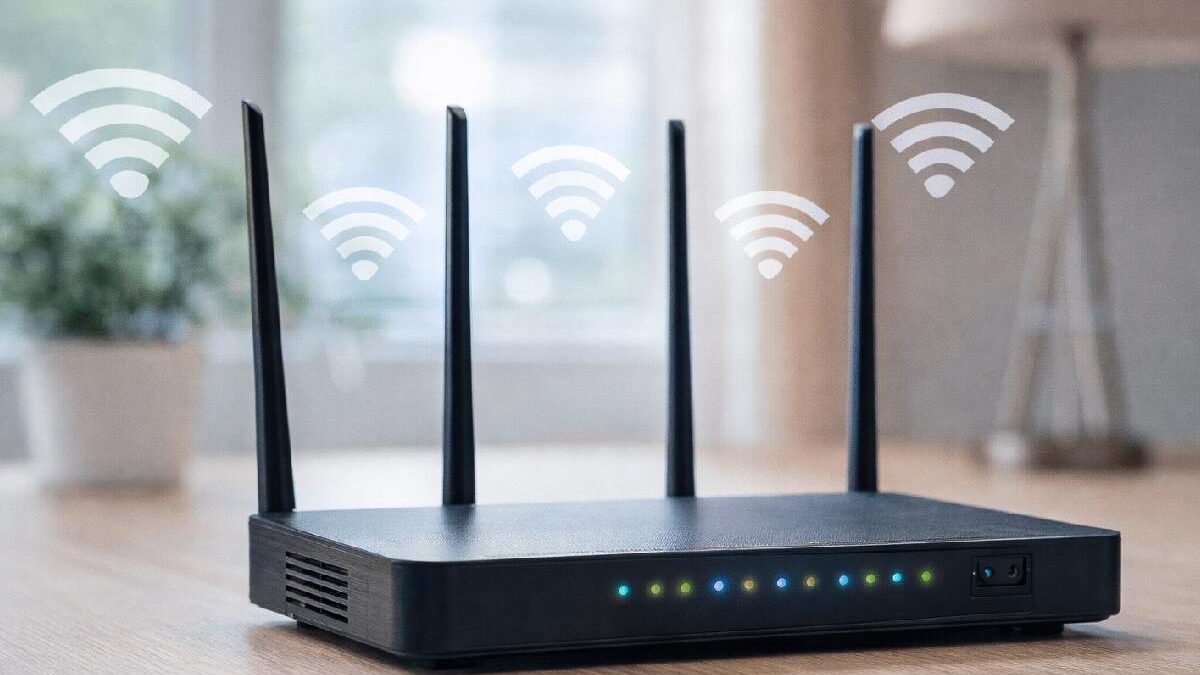

If you are exploring computer concepts about routers, you are likely trying to understand how internet connections work, how Wi-Fi reaches your devices, or how networks communicate.
Routers are one of the most important devices in modern computing. Whether browsing from a phone, working remotely, gaming, or managing office networks, a router directs data so everything runs smoothly.
This guide explains routers in simple terms — what they are, how they work, types, benefits, limitations, and practical tips.
Table of Contents
What Is a Router?
A router is a hardware networking device that connects multiple computers or devices to the internet and directs data between networks.
In simple words:
-
It acts like a traffic controller for internet data.
-
It ensures information reaches the correct device.
-
It allows multiple devices to share one internet connection.
Without routers, home Wi-Fi networks and office networks would not function efficiently.
How a Router Works
Understanding router functionality becomes easier when broken down into steps.
1. Receives Internet Signal
The router connects to a modem or internet line provided by the internet service provider.
2. Assigns Local IP Addresses
Each device receives a unique local address inside the network.
3. Directs Data Packets
Routers examine data packets and send them to the correct device.
4. Provides Wireless Connectivity
Wi-Fi routers broadcast signals for wireless devices.
5. Adds Security Layer
Firewalls, encryption, and network controls protect users.
This process occurs in milliseconds.
Types of Routers
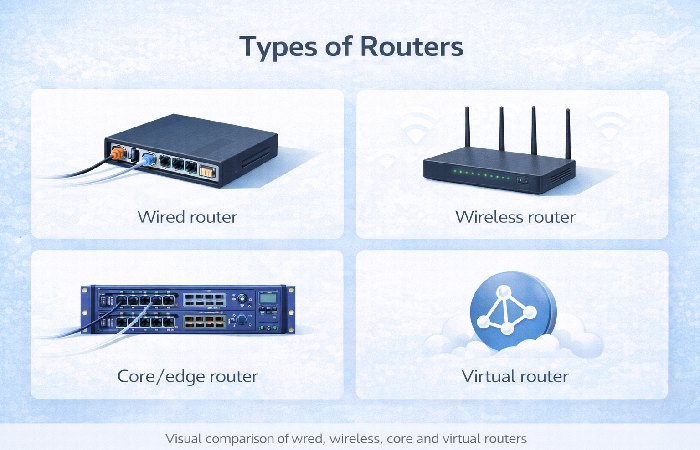
Different environments require different routers.
Wired Router
-
Uses Ethernet cables only
-
Stable but less flexible
-
Common in offices
Wireless Router
-
Provides Wi-Fi connectivity
-
Most common for homes
-
Supports multiple devices
Core Router
-
Used by internet service providers and large networks
-
Handles high data traffic
-
Not typical for home users
Edge Router
-
Connects internal networks to external networks
-
Common in enterprises
Virtual Router
-
Software-based routing
-
Used in cloud environments
Each type serves a specific networking need.
Who Should Learn About Routers
This concept benefits:
-
Students studying computer networking
-
IT beginners and technology enthusiasts
-
Remote workers managing home networks
-
Small business owners
-
Anyone troubleshooting internet issues
Understanding routers helps solve connectivity problems faster.
Who Might Not Need Deep Router Knowledge
Advanced router knowledge may not be necessary if:
-
Managed IT services handle infrastructure
-
Plug-and-play home internet is sufficient
-
Network infrastructure is not managed personally
Basic understanding is still useful.
Benefits of Routers
Network Sharing
Multiple devices connect through one internet line.
Improved Security
Routers add firewalls and encryption.
Better Traffic Management
Data routing prevents congestion.
Wireless Convenience
Wi-Fi access is available within range.
Network Control
Administrators can limit access or prioritize devices.
Routers are essential for modern homes and businesses.
Drawbacks and Limitations
Signal Interference
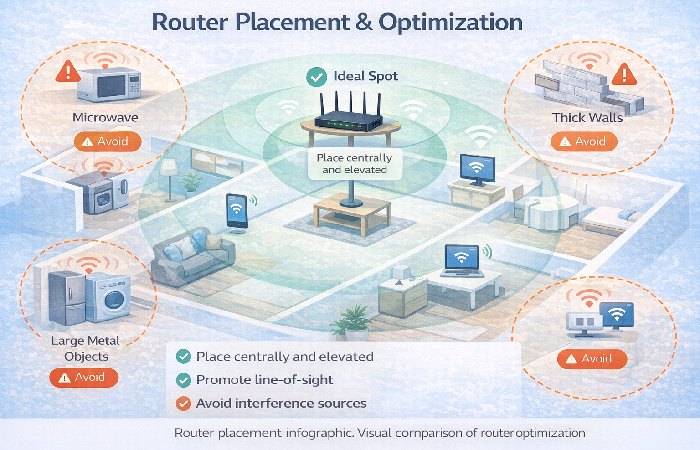
Walls, devices, and distance weaken signals.
Security Risks
Poor configurations may expose networks.
Hardware Cost
Advanced routers can be expensive.
Maintenance Needs
Firmware updates and occasional resets may be required.
Understanding limitations helps avoid frustration.
Common Router Features
Modern routers may include:
-
Dual-band or tri-band Wi-Fi
-
Guest network support
-
Parental controls
-
Quality of Service prioritization
-
VPN support
-
Firewall protection
-
Mobile app management
Features vary by model and price range.
Common Router Mistakes to Avoid
Incorrect Placement
Placing routers in corners reduces coverage.
Weak Passwords
Default passwords increase security risk.
Skipping Updates
Outdated firmware creates vulnerabilities.
Ignoring Security Settings
Encryption should always be enabled.
Overloading Devices
Too many devices can slow performance.
Addressing these issues improves reliability.
Router Myths vs Facts
| Myth | Fact |
|---|---|
| Expensive routers always mean faster internet | Speed also depends on the internet provider |
| Restarting routers is unnecessary | Periodic restarts can improve stability |
| Wi-Fi equals internet | Routers provide Wi-Fi; providers supply internet |
| All routers provide equal coverage | Hardware quality varies |
Practical Tips for Router Optimization
Place Router Centrally
Improves signal coverage.
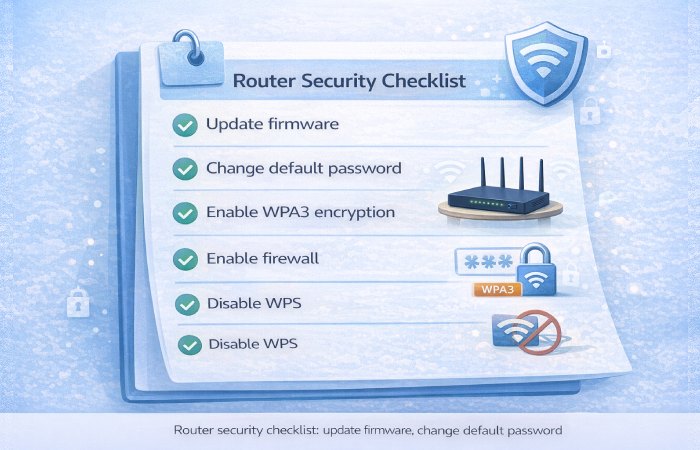
Update Firmware Regularly
Fixes bugs and security issues.
Use Strong Encryption
Prefer WPA3 or WPA2 security.
Change Default Login Credentials
Prevents unauthorized access.
Reduce Interference
Keep routers away from appliances and thick barriers.
These steps improve performance quickly.
Router vs Modem Comparison
| Feature | Router | Modem |
|---|---|---|
| Connects devices | Yes | No |
| Provides Wi-Fi | Yes | Usually no |
| Connects to ISP | Indirectly | Directly |
| Routes data | Yes | No |
Some internet providers combine both functions into one device.
Real-World Example
Consider a home with several devices such as smartphones, laptops, smart TVs, and gaming consoles. The router distributes internet access to each device, prioritizes traffic, and secures connections simultaneously. Without a router, only one device could connect directly.
Future of Routers
Networking technology continues evolving:
-
Adoption of Wi-Fi 6 and Wi-Fi 7
-
Artificial intelligence-based traffic optimization
-
Stronger cybersecurity integration
-
Smart home automation support
-
Expansion of mesh networking systems
Routers are becoming faster, smarter, and more adaptive.
FAQs About Routers
What does a router do?
It connects multiple devices to the internet and directs data traffic.
Is a router necessary for Wi-Fi?
Yes, routers create wireless networks.
Can a router improve internet speed?
It optimizes distribution but cannot exceed provider limits.
How often should routers be replaced?
Typically every three to five years depending on technological updates.
Are routers secure by default?
Basic security exists, but customization is recommended.
Also Read:
You can link internally to:
Use only live pages to avoid broken links.
Final Conclusion
Understanding computer concepts about routers is essential for anyone using the internet today. Routers enable connectivity, improve security, and ensure smooth data communication across devices. Whether at home, school, or work, learning how routers function helps manage networks efficiently and troubleshoot issues confidently.
High-Authority sources used (and how to cite them)
Use these as inline citations or reference links in the article. They are credible, up-to-date, and appropriate for technical/consumer networking content.
-
Cisco — What is a Router? (Explainer & docs)
-
https://www.cisco.com/c/en/us/products/routers/what-is-a-router.html
-
Use for authoritative definition, enterprise router categories, and vendor-level explanations.
-
-
IETF — Relevant RFCs (core network protocols & routing fundamentals)
-
RFC 791 (IPv4): https://datatracker.ietf.org/doc/html/rfc791
-
RFC 1034 / 1035 (DNS) or others if you reference addressing/packets: https://www.ietf.org/standards/
-
Use for technical depth and standards references.
-
-
IEEE — 802.11 / Wi-Fi standards background
-
https://www.ieee.org/ (search IEEE 802.11 / Wi-Fi 6 updates)
-
Use for Wi-Fi standard background and future tech (Wi-Fi 6/7 context).
-
-
Wi-Fi Alliance — About Wi-Fi certifications and WPA standards
-
Use when describing WPA2/WPA3 and Wi-Fi certification context.
-
NIST — Security configuration guidance (router/edge device hardening)
-
NIST Computer Security Resource Center: https://csrc.nist.gov/
-
Specific guides (search for secure configuration or device hardening) help justify security recommendations.
-
-
CISA (US) / US-CERT — Router and home network security advisories
-
Use for current best practices and security advisory references.
-
FCC — Consumer guides on Wi-Fi and home networking
-
https://www.fcc.gov/consumers/guides/wireless-and-internet-broadband
-
Use for consumer-facing advice and ISP/consumer notes.
-
-
Cloudflare / Akamai / Cloud provider blogs (practical, modern networking concepts)
-
Cloudflare blog (e.g., networking, NAT, DDoS basics): https://blog.cloudflare.com/
-
Use for approachable explanations of NAT, routing behavior, and modern traffic patterns.
-
-
HowStuffWorks — Router / networking primer
-
Good for beginner-friendly analogies and simple diagrams.
-
Wikipedia — Router (overview & references)
-
Use as quick, citable background and for links to referenced RFCs and vendors.
