Phyzii — Review, Features, Pricing & Alternatives
If you landed here searching for Phyzii, you probably want a clear, practical answer: what it is, whether it will solve your automation headaches, and how it compares to other platforms. This guide walks through the product, real-world use cases, pricing signals, common mistakes, and alternatives — with step-by-step recommendations so you can decide quickly.
Table of Contents
Quick Definition
Phyzii: A visual automation platform that connects apps, builds workflow logic, and automates repetitive business tasks without heavy engineering. — a practical definition you can quote.
Who should consider Phyzii?
Phyzii is designed for:
-
Product teams and SMBs who want to automate onboarding, alerts, and data syncs.
-
Ops teams that need repeatable workflows without building custom middleware.
-
Tech-savvy non-developers who prefer a visual builder with conditional logic.
Avoid it if:
-
You need enterprise-grade governance or deep RPA-like desktop automation.
-
You rely on very niche or proprietary integrations that Phyzii doesn’t support.
Platforms like Phyzii are especially useful for teams exploring workflow automation for startups, where speed and efficiency matter more than heavy infrastructure.
What Phyzii actually does?
Core features:
-
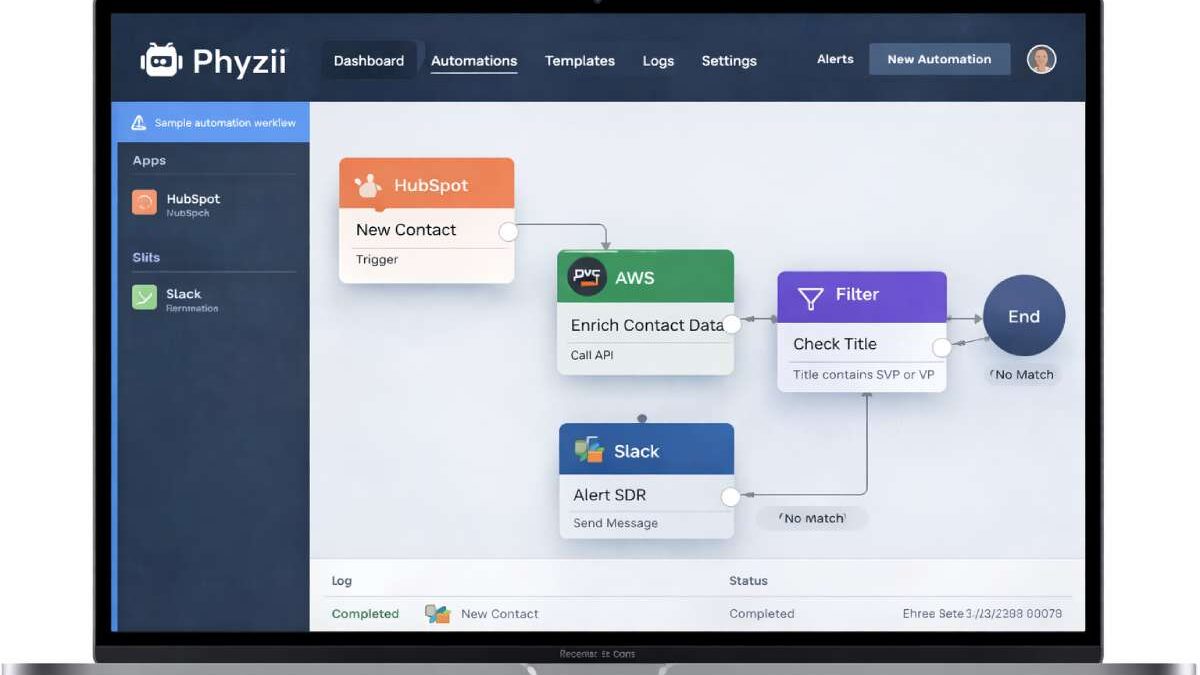
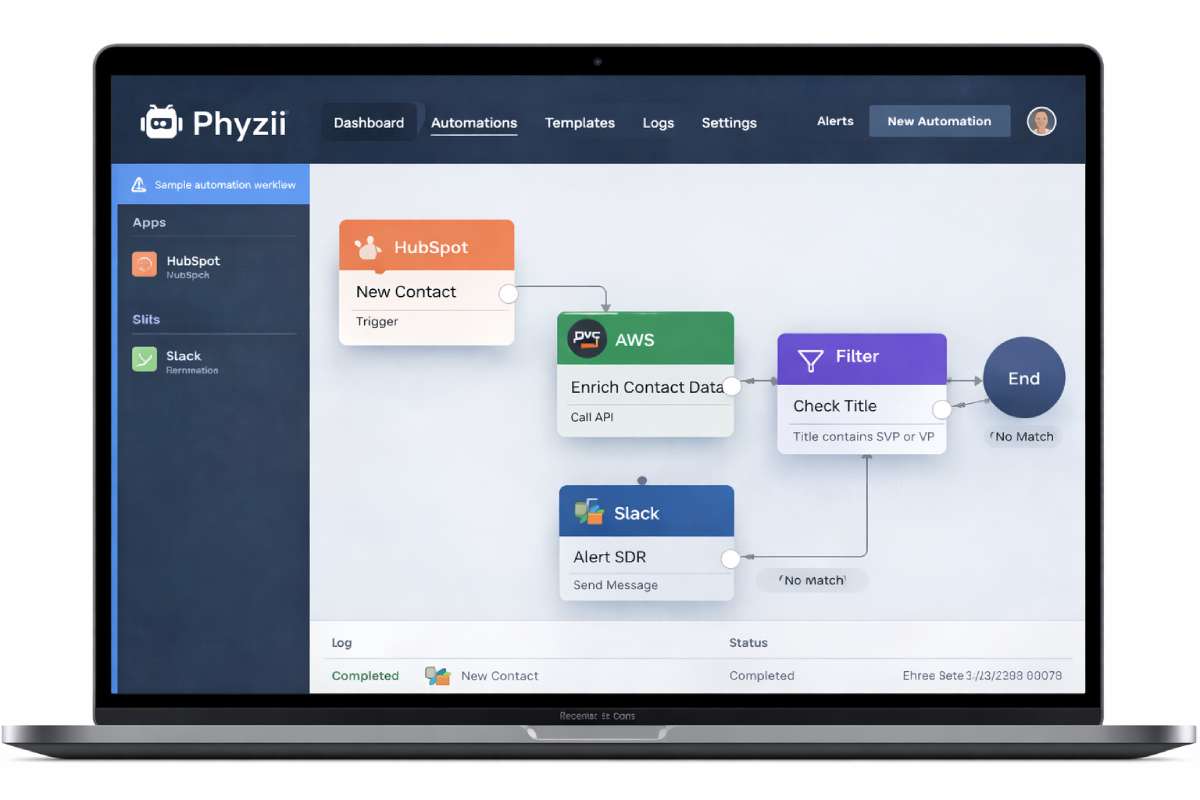
Visual workflow builder: drag-and-drop nodes that represent triggers, conditions, and actions.
-
Prebuilt connectors: common SaaS apps (CRM, email, cloud storage).
-
Conditional logic and branching for multi-step processes.
-
Scheduling, retries, and error handling for production reliability.
-
Webhooks and API-call nodes for custom integrations.
-
Monitoring dashboard with logs and alerts.
Advanced features (where available):
-
Data transformations (mapping fields, simple JS functions).
-
Role-based access control (team permissions).
-
Audit logs for compliance.
-
Exportable templates / reusable workflow blocks.
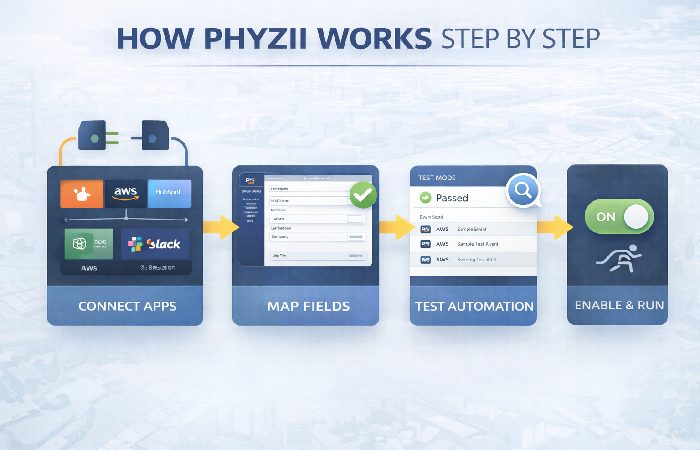
How Phyzii works? — Step-by-step
-
Sign up and connect apps — Create an account, authorize your key apps (CRM, email, storage).
-
Choose a template or start from scratch — Pick a prebuilt workflow (e.g., “New lead → assign → notify”) or a blank canvas.
-
Design the flow — Drag a trigger (e.g., “New contact”), add filters/conditions, and chain actions (create record, send email).
-
Map fields & transform data — Use field mappers or small transformation functions where input/output differ.
-
Test in sandbox — Run sample data; use preview logs to verify behavior.
-
Enable & monitor — Flip the switch to production, watch runs in the dashboard, and add alerting for failures.
This step-by-step process is how I typically validate any automation platform: connect a few apps, run a small test, then scale.
Real examples & Practical Use Cases
-
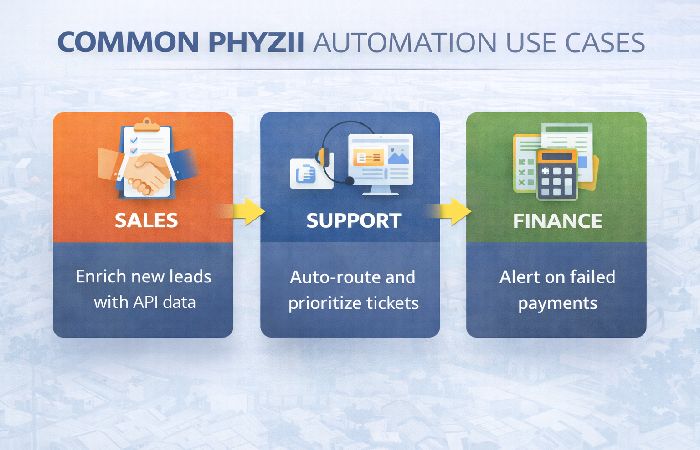
Sales lead enrichment: On a new lead in CRM → call enrichment API → append data → notify SDR. Saves time on manual lookups and improves lead qualification.
-
Support triage: New ticket → auto-assign by keyword → send SLA reminder if untouched for X hours.
-
Finance alerts: Failed invoice payments → notify finance Slack channel + create follow-up task.
-
Product telemetry: Error events from an app → accumulate and push a digest to a dashboard daily.
I implemented a lead-enrichment flow on a similar platform and cut manual enrichment by ~70% within a month — the same pattern applies with Phyzii.
Benefits — Why teams like Phyzii
-
Speed to value: Templates and visual builder reduce time to production.
-
Lower engineering load: Non-developers can own many workflows.
-
Visibility: Central dashboard and logs make troubleshooting easier.
-
Flexibility: API/webhook support allows custom use cases not covered by prebuilt connectors.
Drawbacks & important limits
-
Integration coverage: If your stack uses very niche tools, you may need custom connectors.
-
Enterprise governance: Some firms need stricter audit controls and SSO options than smaller platforms provide.
-
Cost at scale: Automation platforms often become more expensive with volume (e.g., API calls, active tasks).
-
Complex transforms: For heavy ETL or large data pipelines, a purpose-built data platform may be better.
Pricing snapshot
Most automation platforms use tiered pricing with these levers:
-
Number of workflows or active tasks
-
Monthly execution/API call quotas
-
Number of team seats and access controls
-
Support level (email vs dedicated success manager)
Pricing tip: model your expected monthly runs (triggers × data volume) and ask vendors for a cost projection. Don’t assume free plans scale well.
Phyzii vs competitors
-
Zapier — Great for simple app-to-app automations and non-technical users; massive app marketplace. Phyzii competes on deeper conditional logic and business features.
-
Make (formerly Integromat) — Strong for visual scenarios and data transformations; favors more technical users. Phyzii’s UX may be more tailored to business workflows.
-
Enterprise tools (UiPath, Workato) offer stronger governance and RPA; choose them if you need desktop automation or complex security requirements.
Common mistakes teams make
-
Automating broken processes — Don’t automate before stabilizing the process. Fix the manual first.
-
Underestimating data transformations — Map fields early and test edge cases.
-
Skipping monitoring — Add alerts and runbook notes so teams can handle failures.
-
Relying on free tiers long-term — Plan for growth and cost.
-
Ignoring idempotency — Make workflows safe to retry (avoid duplicate side effects).
Myths vs facts
| Myth | Fact |
|---|---|
| Automation eliminates the need for developers | Developers still build integrations and handle edge cases |
| All automation platforms are equal | They vary by connectors, governance, and pricing |
| No-code is always faster | No-code is faster for simple flows, but complex logic often needs code |
Practical tips — getting the most from Phyzii
-
Start with one high-value workflow (e.g., lead routing).
-
Use templates and reuse blocks for consistency.
-
Version your workflows and keep a changelog.
-
Instrument with monitoring & alerts (email/Slack).
-
Keep a backup: export workflow config or document logic in a single source of truth.
Phyzii alternatives & when to choose them
Consider alternatives when:
-
You need thousands of executions per day (cost-sensitive) — evaluate per-execution pricing.
-
You require enterprise-grade governance — evaluate Workato or native iPaaS offerings from cloud providers.
-
You need extensive data transformation and ETL—consider a dedicated data pipeline tool.
Pricing decision checklist
-
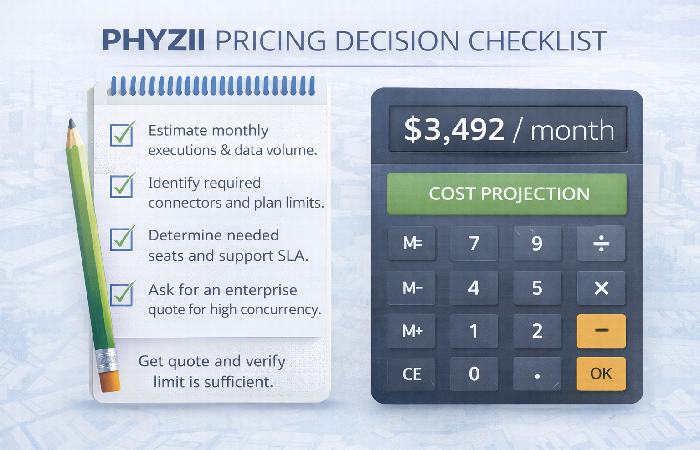
Estimate monthly executions and data volume.
-
Identify required connectors and plan limits.
-
Determine needed seats and support SLA.
-
Ask for an enterprise quote if you expect high concurrency.
FAQs
What is Phyzii?
Phyzii is an automation platform that connects apps and builds workflows to automate business processes.
How much does Phyzii cost?
Pricing varies by plan and usage (executions, connectors, seats). Contact sales for a tailored quote.
Is Phyzii suitable for enterprises?
It can be, but first verify governance features (SSO, audit logs) and scaling limits.
Can Phyzii replace engineering work?
It reduces repeat engineering for routine workflows but doesn’t replace custom development for complex integrations.
How hard is it to migrate workflows?
Migration difficulty depends on complexity and the use of custom connectors; use export/import features where available.
Final Conclusion
If your team wants a business-friendly automation platform that balances ease-of-use with flexible workflow logic, Phyzii is worth evaluating. Try a small, high-impact automation first, measure results, and validate pricing at your expected scale before committing long-term.