
Suvit Review: Accounting Automation for Modern Finance Teams
If you’re searching for suvit, chances are you’re an accountant, finance professional, or business owner looking to reduce manual work in accounting and bookkeeping.
For many teams—especially in India—tasks like invoice entry, document handling, and GST reconciliation still consume hours every week. Automation tools promise relief, but not all of them are built with local compliance, accounting workflows, or tools like Tally in mind.
That’s where Suvit positions itself.
This article gives you a clear, practical explanation of what Suvit does, how it works, who it’s best for, where it falls short, and how it compares with other accounting automation platforms.
Table of Contents
What Is Suvit?
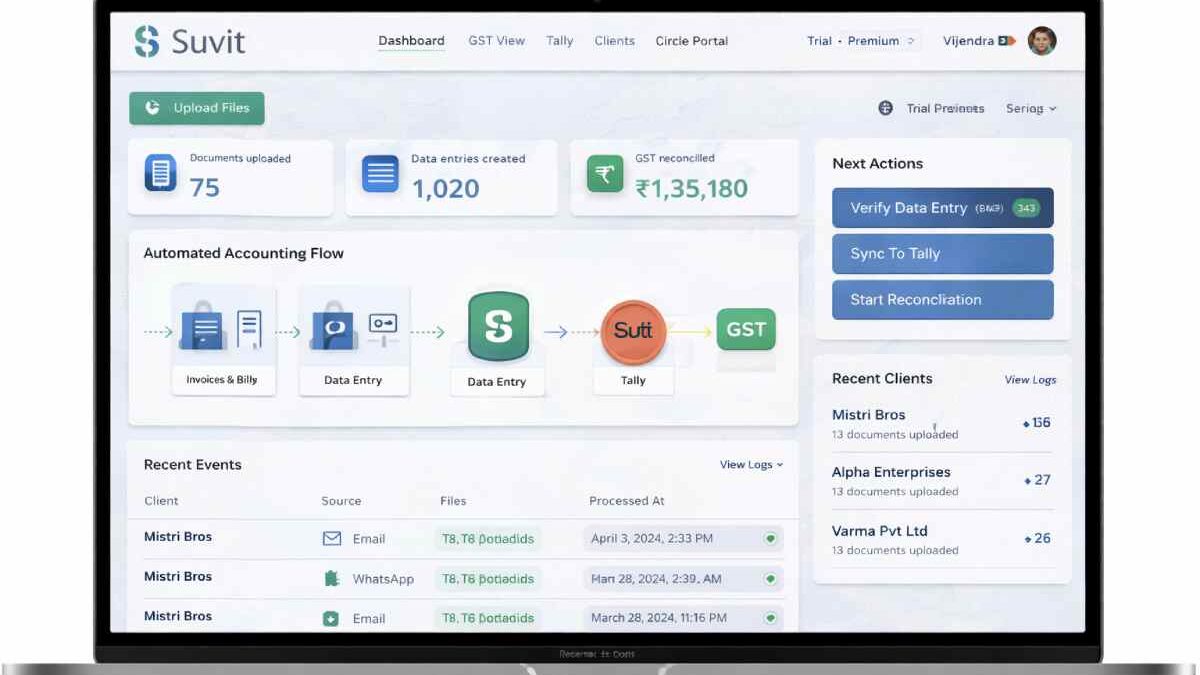
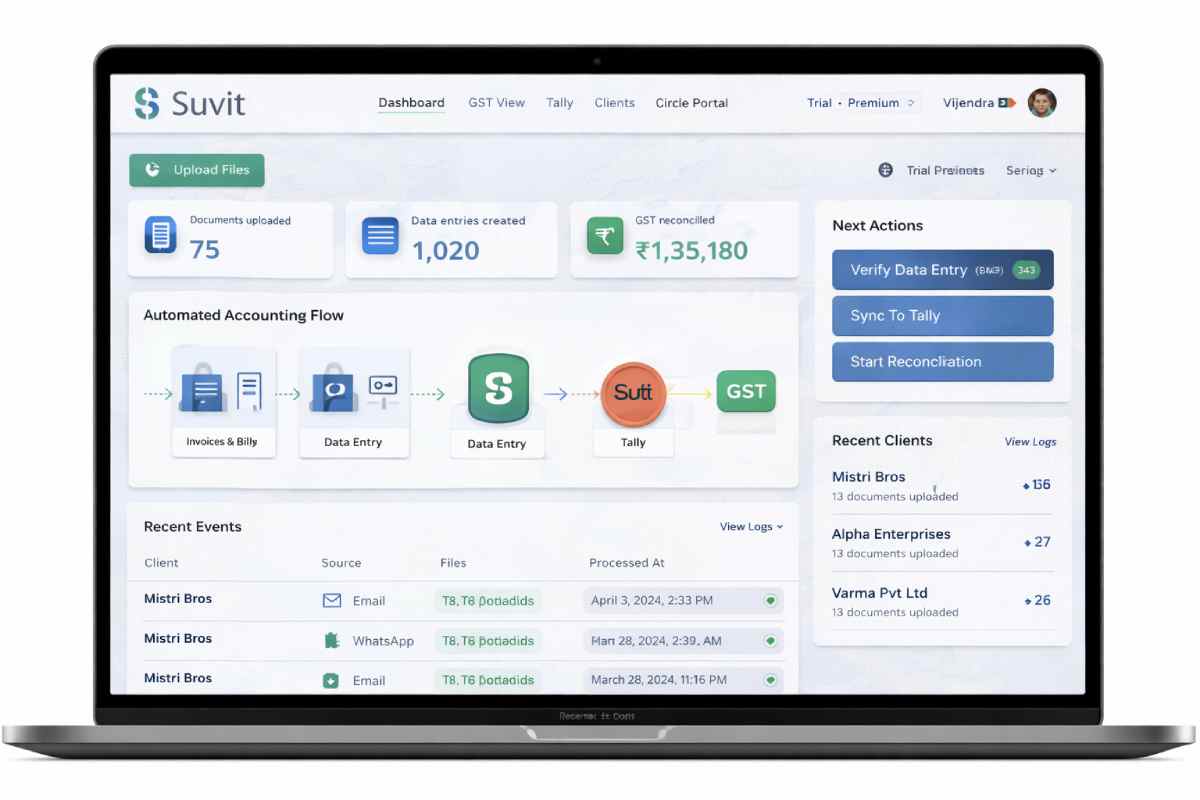
Suvit is an accounting automation software designed to help accountants and finance teams automate repetitive tasks such as:
-
Data entry from invoices and documents
-
Organizing accounting files
-
Supporting GST-related workflows
-
Integrating with accounting systems like Tally
In simple terms, Suvit helps finance teams spend less time typing data and more time reviewing and analyzing it.
It is not a full accounting system like Tally or Zoho Books. Instead, it works alongside them to automate manual steps.
Why Suvit Exists?
Many accounting teams face the same challenges:
-
Large volumes of invoices and bills
-
Manual data entry into Tally
-
Errors caused by repetitive typing
-
Time-consuming GST preparation
-
Difficulty managing documents across clients
Suvit was built to reduce this operational friction, especially for Indian accounting firms handling multiple clients.
Who Is Suvit Designed For?
Suvit is best suited for:
-
Chartered Accountants (CAs)
-
Accounting firms managing multiple clients
-
Small and mid-sized businesses using Tally
-
Finance teams handling high document volumes
-
Professionals working with GST data regularly
It is particularly relevant in India, where GST compliance and Tally usage are common.
Who Should Avoid Suvit?
Suvit may not be the right choice if:
-
You need a full ERP or accounting system
-
Your business doesn’t use Tally or similar tools
-
You require advanced international tax automation
-
You need deep financial analytics or forecasting
In those cases, broader finance platforms may be a better fit.
Key Features of Suvit Explained
Let’s break down Suvit’s core features in practical terms.
1. Automated Data Entry
Suvit reduces manual entry by extracting data from invoices and documents, helping accountants avoid repetitive typing.
2. Document Management
Bills, invoices, and files can be organized digitally, making retrieval easier during audits or reconciliations.
3. Tally Integration Support
One of Suvit’s strongest selling points is its compatibility with Tally-based workflows, which many Indian firms rely on.
4. GST Workflow Assistance
While Suvit is not a GST filing tool itself, it supports cleaner data preparation, making GST reconciliation smoother.
5. Multi-Client Handling
Accounting firms can manage documents and data across multiple clients without mixing records.
How Suvit Works?
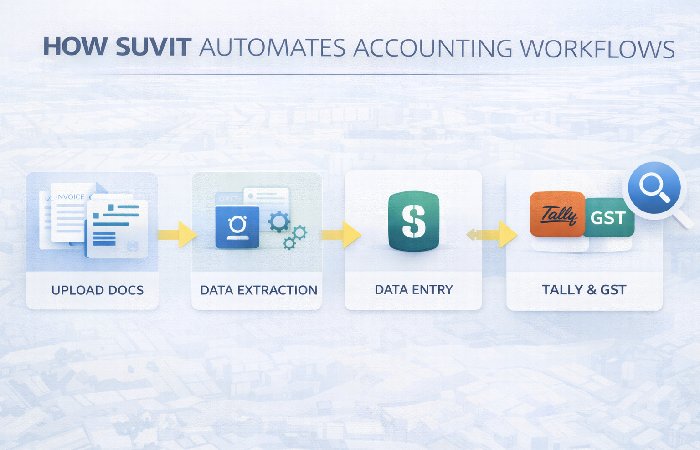
Here’s a simplified view of how teams typically use Suvit:
-
Upload or collect accounting documents
-
Suvit processes and extracts relevant data
-
Accountants review and verify entries
-
Clean data is synced or prepared for Tally
-
Data is used for accounting or GST processes
The goal is not to remove human review—but to remove unnecessary manual effort before that review.
Real-World Use Cases
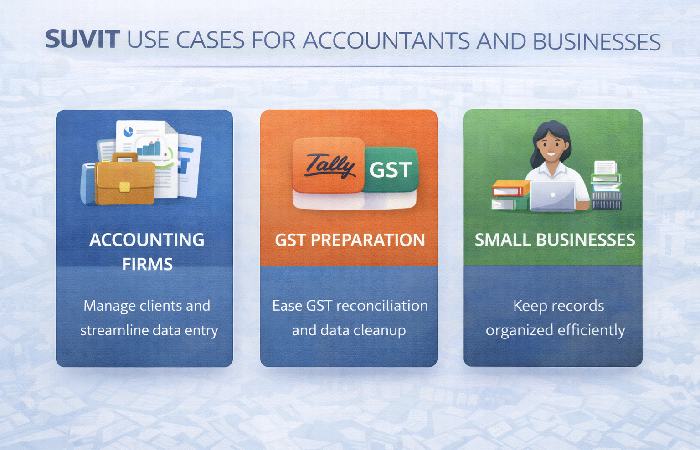
Accounting Firms
Firms handling dozens of clients use Suvit to reduce turnaround time during peak filing seasons.
Small Businesses
Businesses with limited accounting staff use it to keep records organized without hiring extra help.
GST Preparation
Cleaner, structured data helps reduce mismatches and last-minute corrections.
From practical observation, tools like Suvit are most valuable during high-volume periods, such as monthly closures or GST deadlines.
Benefits of Using Suvit
Users typically choose Suvit for these reasons:
-
Reduced manual data entry
-
Fewer accounting errors
-
Better document organization
-
Faster turnaround times
-
Improved accountant productivity
For many teams, the biggest win is time saved, not just automation.
Limitations and Drawbacks
No tool is perfect. Suvit has some limitations worth noting.
1. Not a Full Accounting System
You still need software like Tally for core accounting.
2. Learning Curve
Teams may need time to adjust workflows and verification processes.
3. Pricing Transparency
Exact pricing may not always be clearly listed publicly and often depends on usage or scale.
4. Regional Focus
Suvit is optimized for Indian accounting workflows, which may limit global applicability.
Suvit Pricing: What to Expect
It generally follows a business-focused pricing approach, where costs may depend on:
-
Number of users
-
Volume of documents processed
-
Firm size or client count
-
Required integrations or support level
For accurate pricing, most businesses need to request a quote based on their specific needs.
Pricing Tip
Before committing, estimate:
-
Monthly document volume
-
Number of clients
-
Peak workload periods
This avoids surprises later.
Suvit vs Other Accounting Automation Tools
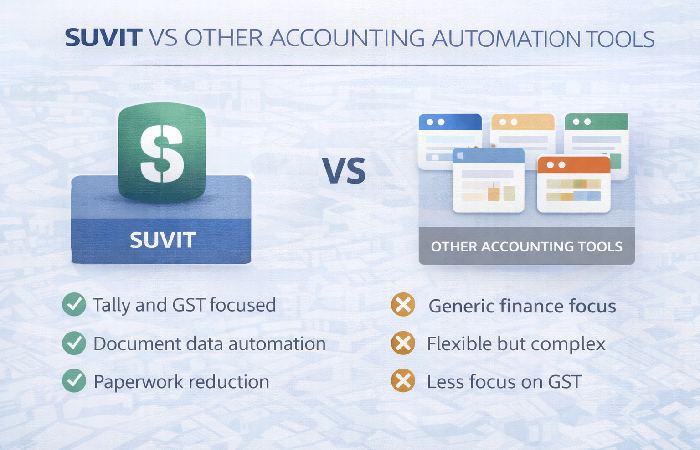
Here’s how Suvit compares at a high level.
Suvit vs Generic Automation Tools
Generic automation platforms are flexible but often lack accounting-specific logic.
Suvit vs Full Accounting Software
Full accounting tools handle books but don’t focus on reducing data-entry workload as deeply.
Suvit vs Global Finance Platforms
Global tools may offer advanced analytics but often lack GST and Tally alignment.
Suvit’s strength lies in its niche focus, not broad coverage.
Common Mistakes Businesses Make
Many teams fail to get full value because they:
-
Expect full automation without review
-
Skip proper setup and verification steps
-
Don’t train staff adequately
-
Use it only for a small part of workflows
Automation works best when paired with clear internal processes.
Myths vs Facts About Suvit
| Myth | Fact |
|---|---|
| Suvit replaces accountants | It supports accountants |
| Suvit files GST returns | It prepares data |
| Automation removes all errors | Review is still required |
| It works without setup | Proper configuration matters |
Practical Tips for Using Suvit Effectively
-
Start with one workflow (e.g., invoice entry)
-
Train staff on verification steps
-
Monitor accuracy before scaling
-
Integrate gradually with existing tools
-
Use reports to spot recurring issues
In practice, slow and steady adoption works better than a full switch overnight.
Suvit Alternatives to Consider
Depending on your needs, you may also explore:
-
Other accounting automation tools
-
Full accounting suites with automation add-ons
-
ERP systems for larger organizations
Each option has trade-offs in cost, complexity, and flexibility.
FAQs About Suvit
What is Suvit used for?
Suvit automates repetitive accounting tasks like data entry and document handling.
Is Suvit suitable for small accounting firms?
Yes, especially firms handling multiple clients and GST workflows.
Does Suvit replace Tally?
No. It works alongside Tally.
Is Suvit only for India?
It is primarily optimized for Indian accounting practices.
Is Suvit easy to use?
It requires setup and training but is manageable for finance teams.
Final Conclusion
Suvit is a focused accounting automation platform built for finance professionals who want to reduce manual work without replacing their existing accounting systems. For Indian accountants and businesses using Tally and handling GST workflows, Suvit can offer meaningful efficiency gains when implemented correctly.
If your goal is less data entry, fewer errors, and better use of accounting time, Suvit is worth serious consideration.